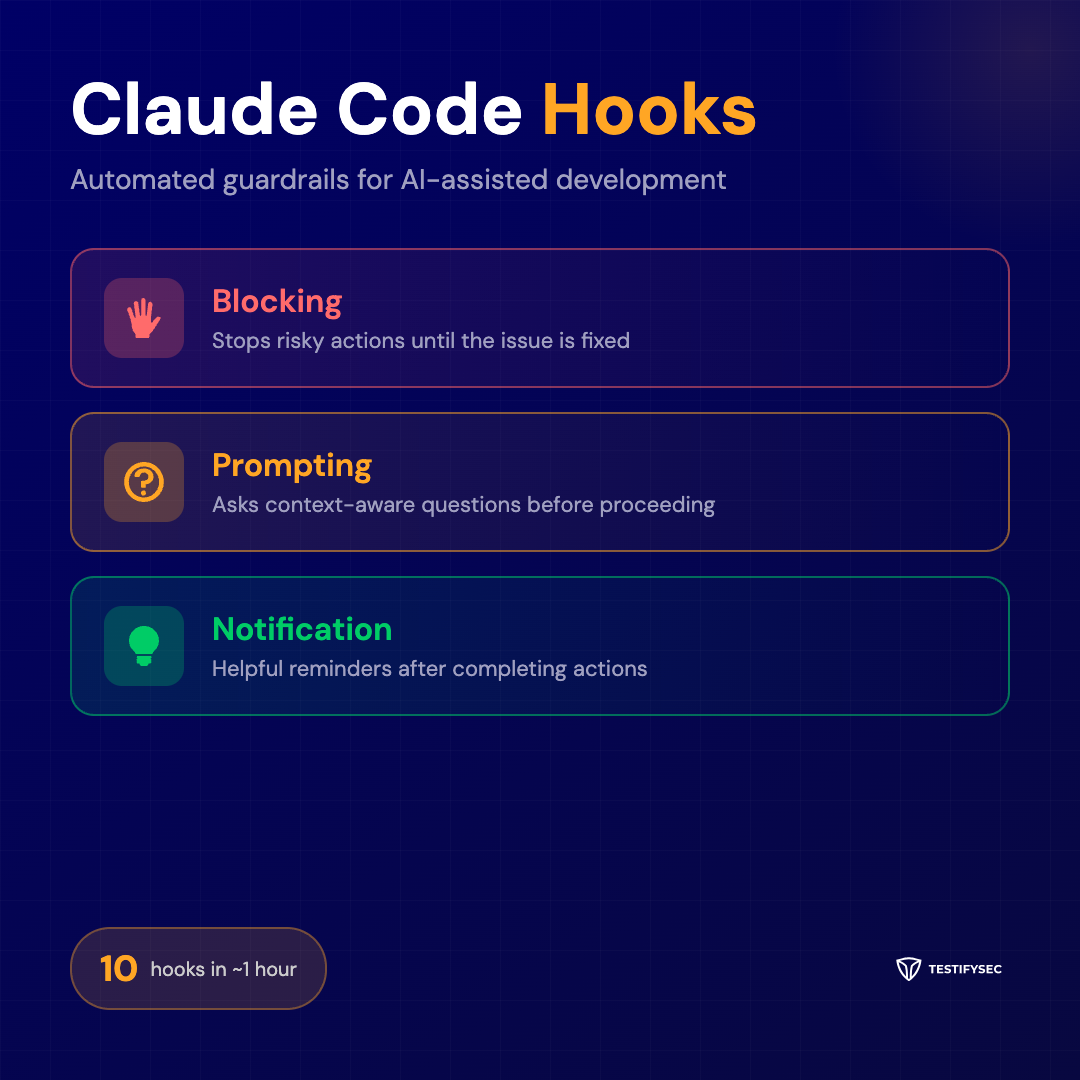
Claude Code Hooks: Automated Guardrails for AI-Assisted Development
We kept making the same mistakes. Push code, CI fails, “forgot local validation.” Run kubectl, “AWS session expired,” 15 minutes lost. Create a new component, “why didn't you check the design system?”
These aren't failures of skill—they're failures of memory. Tribal knowledge that lives in someone's head instead of the workflow.
So we built hooks for Claude Code—automated guardrails that fire based on context. In about an hour, we had 10 hooks running. Zero dependencies. Just bash.
What Are Claude Code Hooks?
Claude Code Hooks are shell scripts that execute automatically in response to Claude Code events. Think of them as Git hooks, but for AI-assisted development. They intercept actions before, during, or after Claude performs them, allowing you to enforce team standards, catch common mistakes, and surface context-specific reminders.
The genius is in the simplicity. Each hook is roughly 50 lines of bash. No complex frameworks. No runtime dependencies. Just scripts that check conditions and return appropriate responses.
Three Types of Hooks
Blocking Hooks
Blocking hooks stop risky actions until the issue is fixed. They return a non-zero exit code when something fails validation.
Example: Pre-commit validation
This script runs tests before allowing a commit, and checks for console.log statements in production code:
#!/bin/bash
if ! npm test --silent 2>/dev/null; then
    echo "BLOCKED: Tests must pass before committing"
    echo "Run 'npm test' to see failures"
    exit 1
fi
if grep -r "console.log" src/ --include="*.ts" | grep -v "// debug"; then
    echo "BLOCKED: Remove console.log statements"
    exit 1
fi
exit 0
Example: AWS session check
This script validates AWS credentials before any kubectl operation:
#!/bin/bash
if ! aws sts get-caller-identity &>/dev/null; then
    echo "BLOCKED: AWS session expired"
    echo "Run: aws sso login --profile $AWS_PROFILE"
    exit 1
fi
exit 0
Prompting Hooks
Prompting hooks ask context-aware questions before proceeding. They don't block—they inform and request confirmation.
Example: Database migration check
When modifying database schemas, this script prompts for migration considerations:
#!/bin/bash
if git diff --cached --name-only | grep -E "schema|migration"; then
    echo "PROMPT: Database schema changes detected"
    echo "Have you considered:"
    echo "  - Backward compatibility with existing data?"
    echo "  - Rollback strategy?"
    echo "  - Performance impact on large tables?"
    echo "Proceed with migration changes?"
fi
Example: Design system reminder
When creating UI components, this script surfaces the design system checklist:
#!/bin/bash
if git diff --cached --name-only | grep -E "components/"; then
    echo "PROMPT: New component detected"
    echo "Design system checklist:"
    echo "  - Check Figma for existing patterns"
    echo "  - Use design tokens for colors and spacing"
    echo "  - Ensure accessibility (ARIA labels)"
    echo "Continue with component creation?"
fi
Notification Hooks
Notification hooks provide helpful reminders after completing actions. They never block—they just surface useful context.
Example: Post-deployment reminder
After deploying, this script reminds about monitoring:
#!/bin/bash
echo "NOTIFICATION: Deployment complete"
echo "Next steps:"
echo "  - Monitor error rates in Datadog"
echo "  - Check Slack for any alerts"
echo "  - Verify smoke tests passed"
Example: PR creation reminder
After creating a PR, this script reminds about the review process:
#!/bin/bash
echo "NOTIFICATION: PR created"
echo "Remember:"
echo "  - Add appropriate labels"
echo "  - Request review from team members"
echo "  - Link to related Jira ticket"
Real-World Impact
After implementing hooks across our team, we saw immediate improvements:
- CI failures from “forgot to run tests locally”: Down 80%
- Time lost to expired AWS sessions: Eliminated
- Components created outside design system: Caught 100%
- Post-deployment incidents from missed monitoring: Down 60%
The hooks don't just catch mistakes—they encode institutional knowledge. When a senior engineer leaves, their best practices stay behind in the automation.
Getting Started
- Create a hooks directory:
.claude/hooks/ - Write your first hook: Start with a blocking hook for your biggest pain point
- Test locally: Run the script manually to verify behavior
- Configure Claude Code: Add hook configuration to your project settings
- Iterate: Add hooks as you identify new patterns
Best Practices
- Keep hooks fast: Each hook should complete in under 2 seconds
- Be specific: Target specific actions rather than broad categories
- Provide context: Always explain WHY something is blocked or prompted
- Include next steps: Tell the developer exactly what to do
- Version control hooks: Treat them like any other code
Conclusion
Claude Code Hooks transform tribal knowledge into automated guardrails. They catch mistakes before they compound, surface context when it matters, and encode best practices that outlast any individual contributor.
The best part? You can build 10 hooks in an hour. No dependencies. No complex setup. Just bash scripts that make your AI-assisted development workflow smarter.
What workflow gotcha would you automate first?
Interested in applying similar automation principles to your software supply chain?
Learn how TestifySec's Judge platform brings automated policy enforcement to your CI/CD pipeline.